


Description
Download Pop Up Stopper – Pop-Up Ads Blocker, Browser Protection, Online Privacy Tool
Overview
Pop Up Stopper is a utility mobile application designed to address the persistent issue of intrusive pop-up advertisements across various digital platforms. Its primary purpose is to enhance user experience by blocking pop-ups that disrupt browsing and application usage. The app targets individuals who frequently encounter unwanted ads in web browsers such as Netscape, Internet Explorer, and Mozilla, as well as within messaging and communication tools. By eliminating these interruptions, Pop Up Stopper supports smoother, faster navigation and improves overall digital productivity. The app is particularly beneficial for users seeking a cleaner, distraction-free online environment, especially those who rely on multiple applications throughout their day.
Although the developer did not provide additional technical details, the app's focus on cross-application protection suggests a robust filtering mechanism. Real-world use cases include preventing ad pop-ups during work-related research, reducing interruptions during online learning, and maintaining privacy during personal browsing sessions. In the broader app ecosystem, Pop Up Stopper fills a niche for lightweight, focused tools that prioritize user control over digital distractions. Despite its age, the app remains relevant in environments where legacy browser support and basic ad-blocking functionality are still needed.
Key Features & Functionality
- Browser Compatibility – Pop Up Stopper is designed to function across multiple internet browsers, including Netscape, Internet Explorer, and Mozilla. This ensures users can maintain consistent ad-blocking performance regardless of their preferred browser, supporting a unified browsing experience across platforms.
- Application Protection – Beyond browsers, the app extends its protection to other applications, such as messenger tools where pop-up ads may appear. This feature is especially useful for users who frequently interact with messaging platforms, helping maintain focus and reduce visual clutter.
- Enhanced Navigation Speed – By blocking intrusive pop-up ads, Pop Up Stopper reduces page load delays and unnecessary data consumption. This results in faster access to intended content, improving efficiency for users who value time and performance.
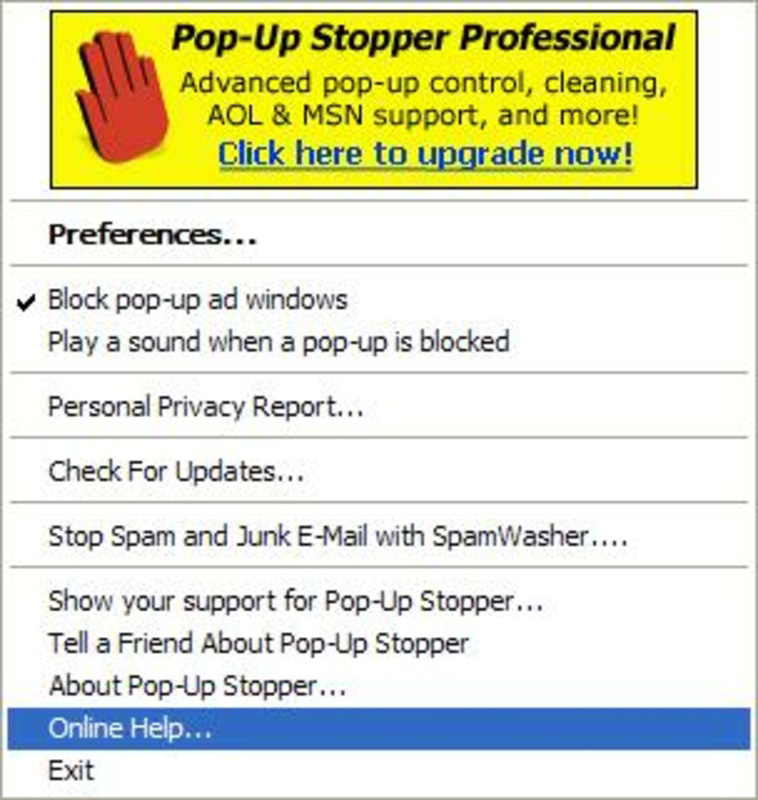
- Customizable Alerts – Users can personalize alert notifications and sound cues when pop-ups are blocked. This level of customization allows individuals to tailor their experience based on preference, ensuring awareness without annoyance.
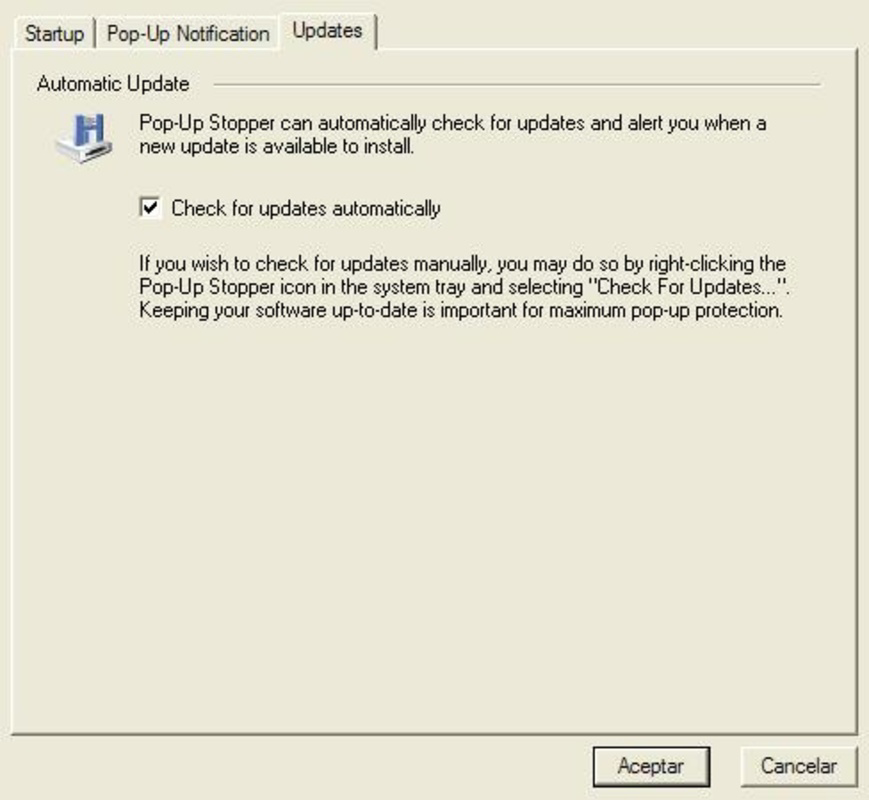
- Automatic Updates – The app supports automatic updates, ensuring that users always have access to the latest improvements and security patches. This feature helps maintain effectiveness against evolving ad delivery methods and enhances long-term usability.
For example, a student using Internet Explorer for research can benefit from uninterrupted access to educational resources, while a professional using a messaging app can avoid sudden ad interruptions during critical conversations. These features collectively contribute to a more focused and efficient digital workflow.
Interface, UX & Performance
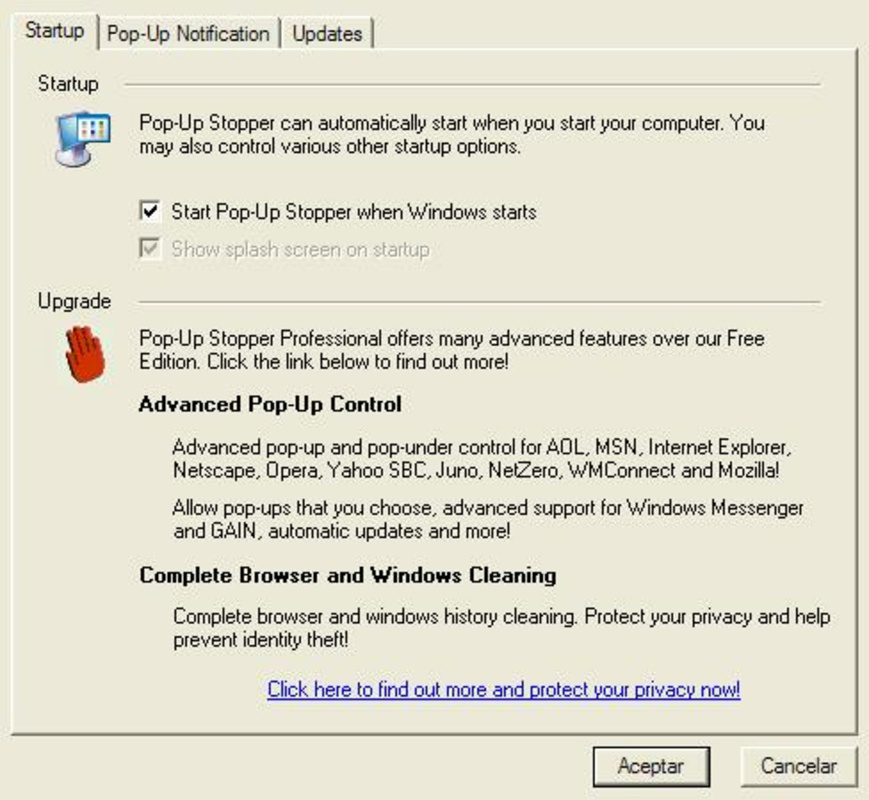
Pop Up Stopper features a straightforward interface designed for ease of use, with minimal on-screen clutter. The layout prioritizes functionality over visual complexity, making it accessible even to users with limited technical experience. Navigation is intuitive, allowing users to configure settings and monitor blocked pop-ups with minimal effort. The app’s design reflects a focus on utility rather than aesthetics, aligning with its role as a background utility tool.
Although the developer did not list formal performance metrics, the app’s lightweight nature suggests it operates efficiently on a range of devices. It is expected to maintain stability across different hardware configurations, with minimal impact on system resources. Responsiveness is likely optimized for quick detection and blocking of pop-ups, ensuring real-time protection without noticeable lag. The app’s long-standing presence in the market indicates a proven track record of reliability, though specific details on device compatibility or performance under load were not disclosed.
Platform Compatibility & Technical Requirements
Pop Up Stopper is available for Windows-based systems, as indicated by its compatibility with legacy browsers such as Internet Explorer and Netscape. The app’s file size and version details were not provided in the available data. The release date is listed as January 25, 2006, suggesting it was developed during an earlier phase of internet usage when pop-up ads were more prevalent. Specific requirements such as minimum OS version or hardware specifications were not fully disclosed. The developer did not specify whether the app supports modern operating systems or mobile platforms.
Pros and Cons
Pros
- Effective pop-up blocking across multiple browsers and applications
- Supports automatic updates for ongoing protection
- Customizable alert settings for user preference
- Designed to improve browsing speed and navigation efficiency
- Lightweight and low system resource usage
Cons
- Developer did not provide details on current platform compatibility
- App is dated, with release in 2006, raising concerns about modern OS support
- Specific technical requirements were not listed
- Compatibility with current mobile or modern desktop environments is uncertain
- No information on security certifications or privacy policies
FAQ
Is Pop Up Stopper compatible with modern operating systems?
The developer did not specify compatibility with current operating systems. Users should verify system requirements before installation.
Can I use Pop Up Stopper on my smartphone?
Based on available information, the app was designed for desktop environments and does not appear to be available for mobile platforms.
Does Pop Up Stopper require an internet connection to function?
While the app may function offline after installation, automatic updates require an active internet connection.
How often does Pop Up Stopper update automatically?
The app supports automatic updates, but the frequency and update mechanism were not disclosed by the developer.
Is Pop Up Stopper safe to download and install?
As with any software, users should download from trusted sources. The developer did not provide security or privacy certifications.
Final Thoughts + CTA
Pop Up Stopper remains a notable tool for users seeking to eliminate pop-up ads from older browser environments and messaging applications. While its age raises questions about compatibility with modern systems, its core functionality—blocking intrusive ads across platforms—remains relevant in specific use cases. The app’s lightweight design, customizable alerts, and automatic update feature provide tangible benefits for users who prioritize uninterrupted browsing. However, due to the lack of updated technical details, potential users should exercise caution and verify compatibility before installation. For those still using legacy systems or seeking a simple, no-frills ad blocker, Pop Up Stopper may offer a viable solution. Download Pop Up Stopper now
Guides & Tutorials for Pop Up Stopper
How to install Pop Up Stopper
- Click the Preview / Download button above.
- Once redirected, accept the terms and click Install.
- Wait for the Pop Up Stopper download to finish on your device.
How to use Pop Up Stopper
This software is primarily used for its core features described above. Open the app after installation to explore its capabilities.
User Reviews for Pop Up Stopper 0
No reviews found


